VED010 - Format Source Code
In this step you will compile the iiiDeptQuery function and view the compile messages.
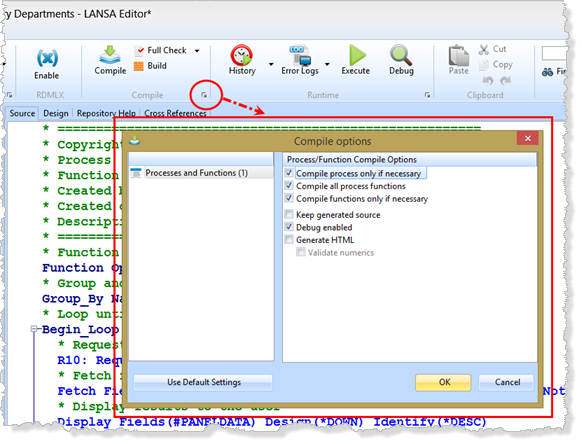
1. On the Home ribbon, click on the highlighted button in the corner of the Compile options area.
The Compile Options dialog will be shown.
2. You do not need to Generate HTML. Remove this option. Removing the three compile options as shown above, means "compile just this function", regardless of whether Visual LANSA is aware it has changed. Visual LANSA will now always compile selected functions and the process.
Your settings should appear as follows:
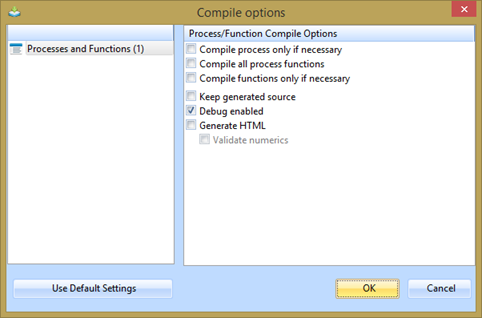
3. Press the OK button to submit the compile.
4. Resize the bottom area of the editor and display the Compile tab.
The status of the compile will be displayed in the Compile tab. You will see the messages change as the compile is in progress and then completes.
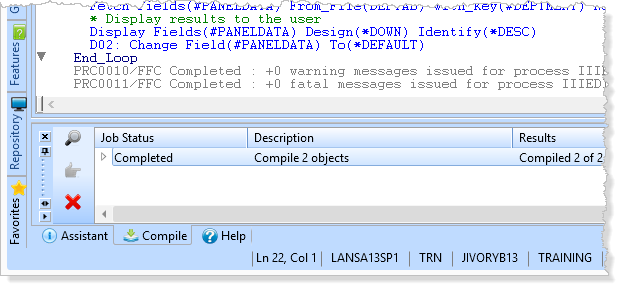
5. Expand the "Completed, Compiled 2 Objects" message:
Select the iiiDeptQuery object and click the  joblog icon to see the compile messages.
The Compile Output dialog will be displayed. You can view the source code build messages as well as the compile messages.
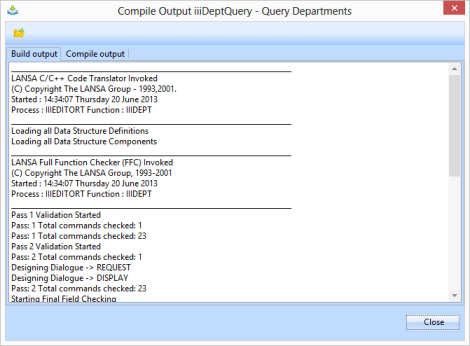
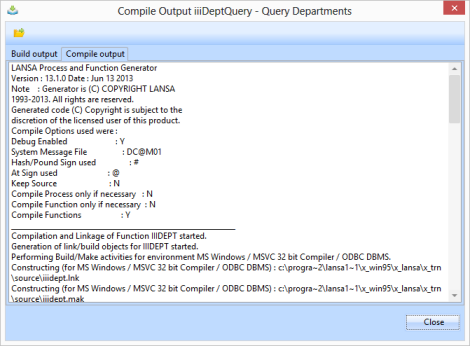
6. Close the Compile Output dialog.
7. Close the iiiDeptQuery function.