VED020 - Edit Source Code
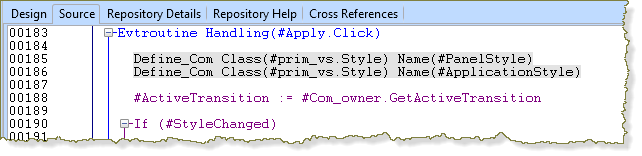
In this step you will learn how to comment and uncomment lines with a keyboard shortcut.
1. Using the cursor, select the highlighted lines of code in the event routine.
2. Press Ctrl + W to change these lines of code to comment lines.
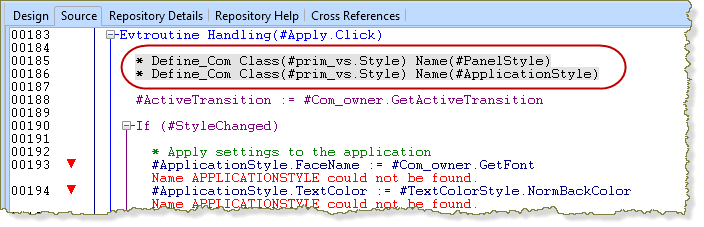
Notice the editor has immediately highlighted errors due to the missing code.
3. Use Ctrl+Shft+W to change these lines back to RDMLX language commands.