FRM015A - Getting Started with Forms Programming Part A
In this step you will add event routines for each push button. An event routine is a routine that is invoked when the user or the program triggers a specific action. You will add an event handling routine to be called when the user Clicks on each push button.
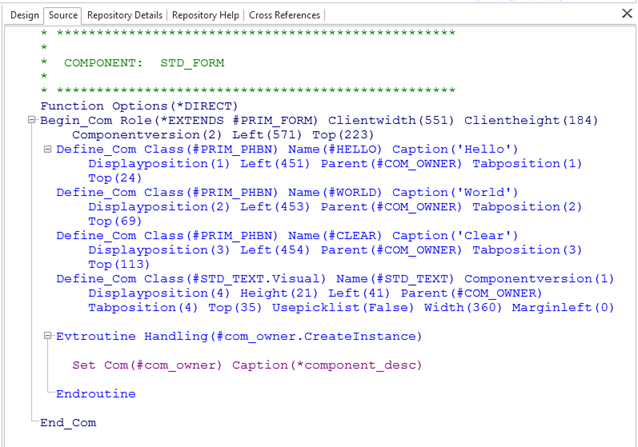
1. Select the Source view in the Editor. You should see code similar to the following:
For the moment just ignore the rest of the existing code.
2. Next create an event routine (EVTROUTINE/ENDROUTINE command pair) for the Clear button to handle the "Click" event:
a. Select the Design tab and select the Clear button.
b. Right-click, select the Events:Push Button option and then the Click Event. The Source tab will get focus and the editor will position to the new click event.
c. A new event routine is added for the Clear push button in the Source tab as shown below:
Notice the format of the event routine names. Event routine names are always formatted as:
COMPONENT.EventName (#Clear.Click).
3. Next add a Click event to the Hello and World buttons.
Evtroutine Handling(#HELLO.Click)
Endroutine
Evtroutine Handling(#WORLD.Click)
Endroutine
Evtroutine Handling(#CLEAR.Click)
Endroutine