FRM015B - Getting Started with Forms Programming Part B
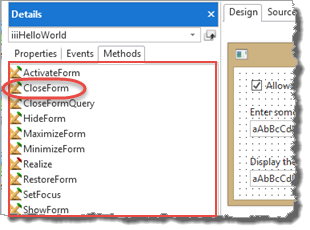
1. In the Design view, click anywhere on the form and select the Methods tab on the Details tab.
Note that your form has a CloseForm method.
2. Your form iiiHelloWorld, inherits events, properties and methods from its Ancestor PRIM_FORM. In the Source tab, note the Begin_Com statement's Role(*EXTEND #PRIM_FORM)

3. In the Design view, drag and drop a push button below the existing buttons.
4. Set up the push button's properties:
a. Change the Push Button Name to CLOSE
b. Change its Caption to Close
c. Create a CLOSE.Click event.
d. Add the following code to this Click event:
#com_owner.CloseForm
The generic name COM_OWNER can be used to refer to the current component.
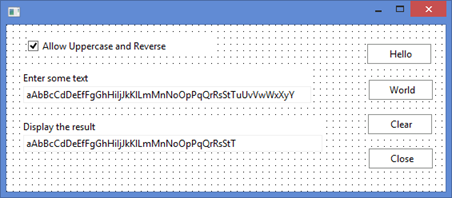
Your form should look like the following:
5. Compile and test your form. Click on the Close button to close it.