FRM095 - Calling a Function
1. Create the following new fields:
a. iiiNEWSAL, New Salary, Packed, 11, 2 Edit Mask N
b. iiiPERCNT – Percent Increase, Packed, 3, 2, Edit Mask N
c. iiiTOTSAL, should already exist. It was created in exercise FRM075.
2. Check the new fields into the IBM i server.
3. Create a new process:
Name: iiiPRO01
Description: FRM Training.
You do not need to open it in the editor.
4. Create a new function:
Process: iiiPRO01.
Name: iiiFN21
Description: Salary Review
RDMLX enabled (YES)
5. Functions which receive and return a working list require a FUNCTION statement with a RCV_LIST() parameter. Define your FUNCTION statement as follows:
Function Options(*DIRECT) Rcv_List(#Employs)
6. Define a working list EMPLOYS containing fields EMPNO, FULLNAME, DEPTMENT, SALARY and iiiNEWSAL. Entrys=*max. Counter = LISTCOUNT.
7. Define a GROUP_BY, EMPDATA, containing fields EMPNO, SURNAME, GIVENAME, DEPTMENT, SALARY.
8. Your function logic should be based on the following:
9. Write your RDMLX based on the above. If necessary refer to Appendix A. FRM095 for a solution.
10. Compile your function
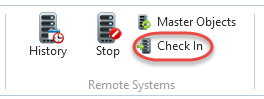
11. With the function open in the editor, use the Check In button on the Home ribbon to check in and compile the function to the IBM i Server.
The process iiiPRO02 will be automatically checked in and compiled as well.
Review the Check In options dialog and ensure the Debug Enabled option is selected.
You will learn more about Check In in exercise FRM125 - Check Out / In to IBM i.