FRM105 - A Trigger Function
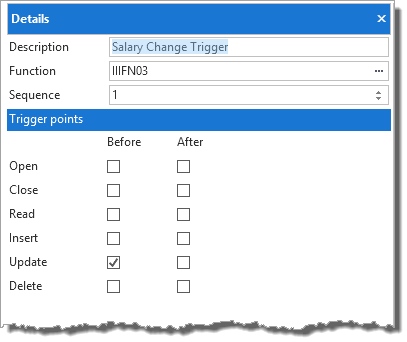
In this step you will define a Before Update trigger for field Salary, with a condition: salary greater than previous salary.
Note: You are defining a file level trigger which applies whenever this file is maintained. The field against which the condition is defined is not relevant, except that since it applies to Salary it makes sense to define the trigger on this field.
1. Open the file PSLMST in the editor.
2. Select the Rules and Triggers tab and add a new trigger using the Add button on the Home ribbon, Description=Salary Change Trigger, for Event=Before Update
3. Set Trigger Function to iiiFN03
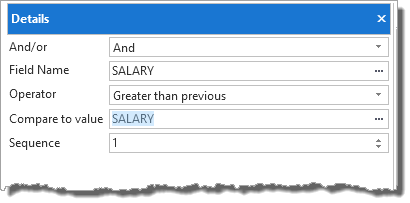
4. Add a trigger condition "Salary greater than previous Salary" using the Add button on the Home ribbon.
5. Save your changes.
6. Recompile the file, creating the OAM only