REP012 - Check In Objects
In this step you will review how Visual LANSA shows objects that exist in the master repository on the server.
1. Display the iiiList tab on the Favorites tab.
2. Right click on any column header to display the context menu. Ensure that the Local Repository State and Master Repository State columns are shown..
3. Widen the iiiList tab and / or drag the Local and Master Repository State columns into view if necessary.
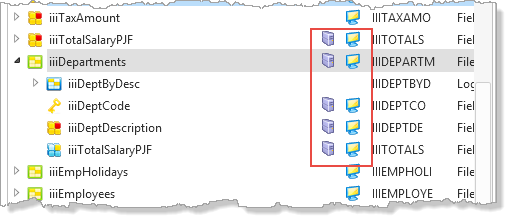
Notice that the check in of file iiiDepartments and its fields has refreshed this column. The server icon shows that the objects now exist in the server repository.
The Master Repository State column will be blank if the object is not yet defined in the master repository.