The Repository field definitions are the foundation of your business applications. Other objects in the Repository such as files, components and functions are built from the basic field definitions. The centralization of a single definition and its reuse provide huge productivity benefits.
Important Notes: Throughout this course you will be creating fields, files and forms, giving them a name beginning with your initials. This is shown as iii at the beginning of the name, which you should replace with your initials.
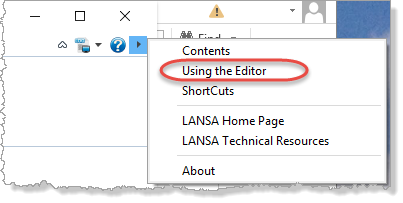
If you prefer to use keyboard shortcuts, see Using the Editor:
Then see 8.6 Keyboard Shortcuts.
Objectives
|
Note: These fields will be used to create the Department and Personnel files in later repository exercises.
To achieve these objectives you will complete the following:
Step 3. Manually Create Fields
Step 6. Create a Dynamic List for Your Fields
Step 7. Create and Execute Test Form
Step 8. Change your field definitions
Before You Begin
In order to complete this exercise, the demonstration Personnel System files must have been installed in this partition. You should also have completed the Visual LANSA User Interface Exercises.