REP007 - File Validation Rules/Triggers
In this step you will add a Lookup rule to the Employee file. This rule specifies that the Department field which is being inserted into the Employee file must exist in the Department file.
1. Open file iiiEmployees in the Editor. Select the Rules and Triggers tab.
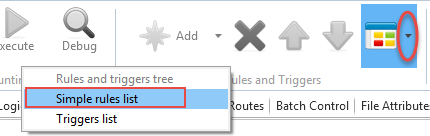
2. On the Home ribbon, expand the Views menu in the Rules and Triggers group, and select the Simple rules list.
The simple rules list gives you an overview of all the rules in the file and indicates their type and whether a rule is defined in the field or file definition.
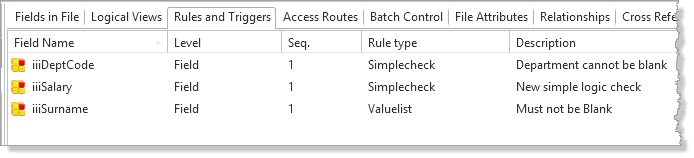
3. Select the iiiDeptCode field in the list of rules.
4. In the Rules and Triggers group on the Home ribbon, expand the Add menu to select Add Lookup Check to add the rule to the iiiDeptCode field.
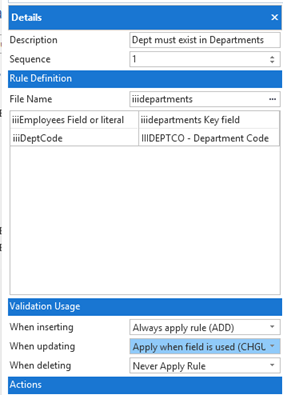
5. In the Details tab, create the rule as follows:
|
Your Details tab should now look like this:
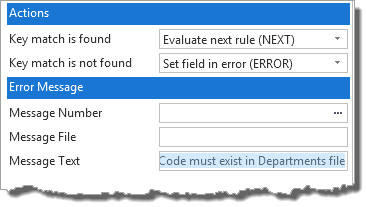
6. Complete the Actions section, to define the actions to set the field in error if the value is not found:
|
Your Details tab should now look like this:
7. Save the file.