
フォーム・ラッパーにはプロパティ #COM_OWNER.avWrapperAttachment が含まれています。
省略値は CENTER になっており、ラッパーは 5250 画面のを効果的に置換することを意味しています。
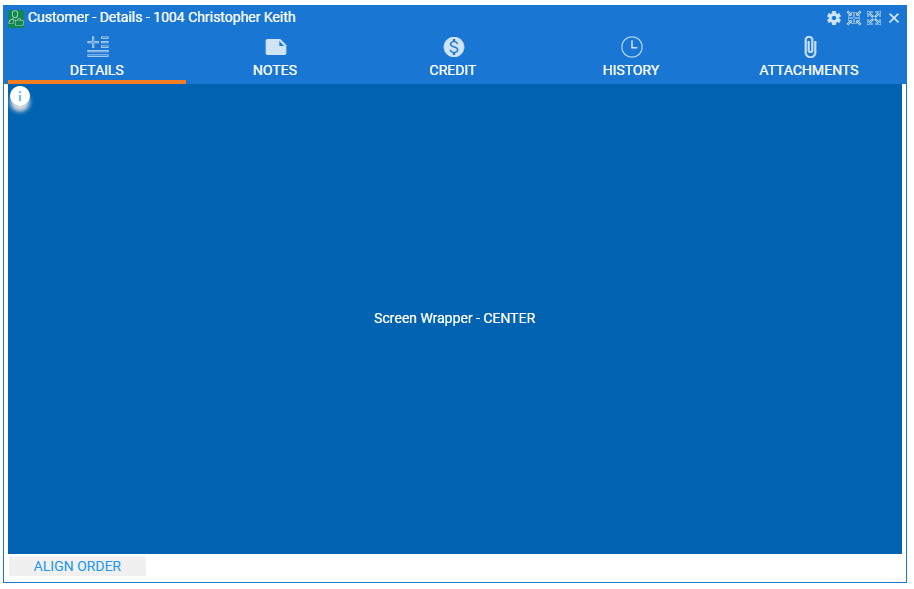
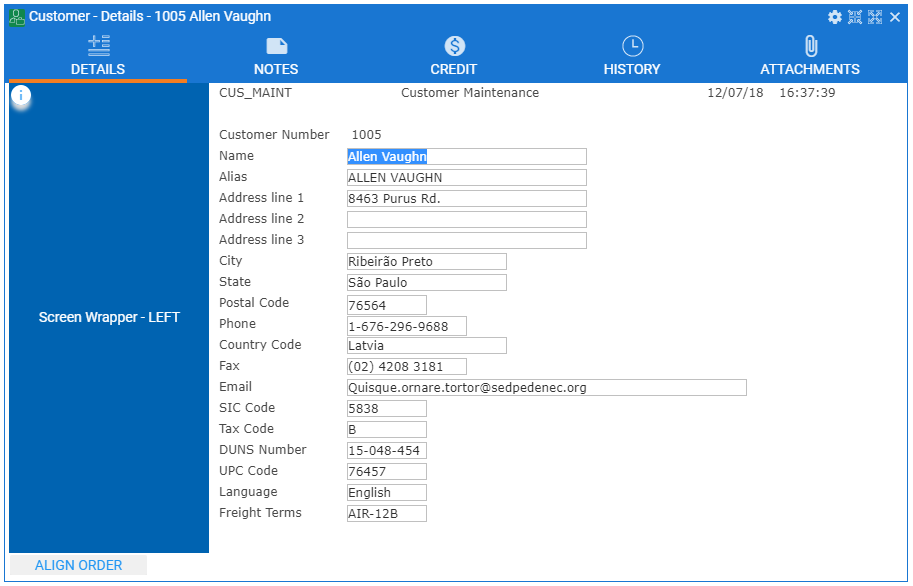
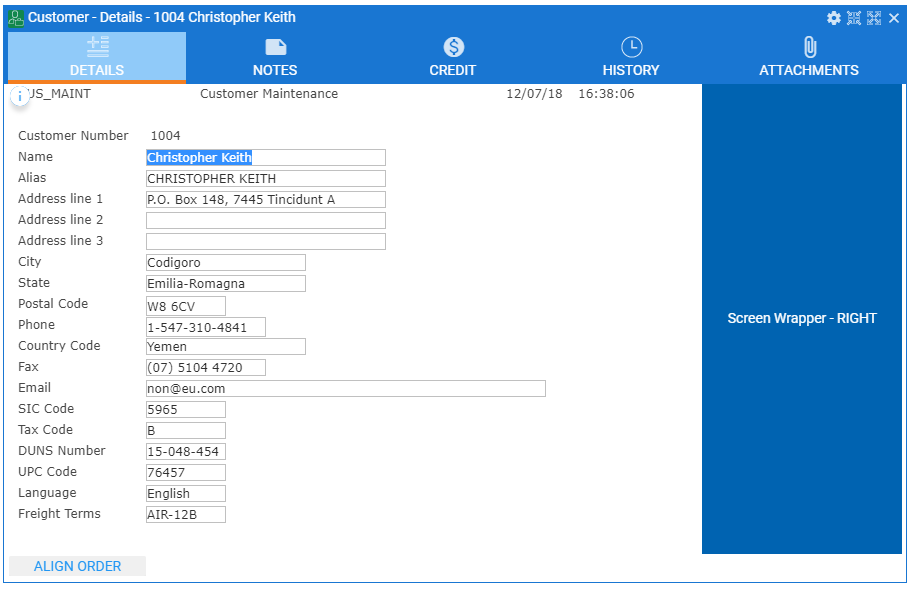
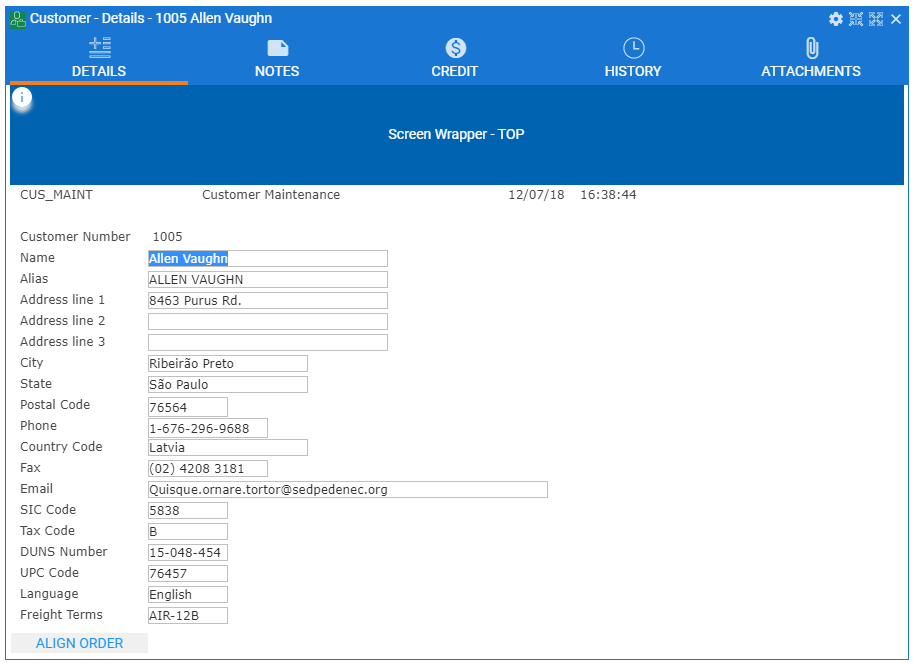
ただし、ラッパーの uInitialize メソッドでこの値を TOP、BOTTOM、LEFT、RIGHT に変更することが可能です。この値はラッパーが 5250 画面を基準にした表示位置を示します。
左のラッパー:
右のラッパー:
上のラッパー:
下のラッパー:
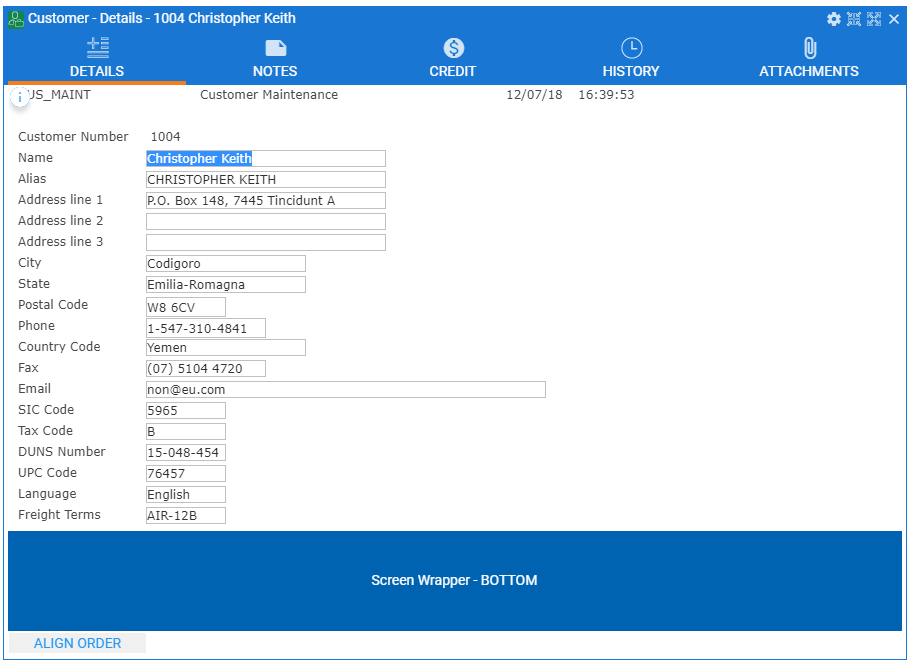
以下は表示ごとに画面ラッパーが移動する例です。
Begin_Com Role(*EXTENDS #vf_ac038O) Height(65) Width(233) Layoutmanager(#Layout1)
Define_Com Class(#Prim_VS.style) Name(#Blue) Normbackcolor(0:99:177) Textcolor(White)
Define_Com Class(#PRIM_TBLO) Name(#Layout1)
Define_Com Class(#PRIM_TBLO.Row) Name(#Layout1Row1) Displayposition(1) Parent(#Layout1)
Define_Com Class(#PRIM_TBLO.Column) Name(#Layout1Column1) Displayposition(1) Parent(#Layout1)
Define_Com Class(#PRIM_TBLO.Item) Name(#Layout1Item1) Column(#Layout1Column1) Manage(#label1) Parent(#Layout1) Row(#Layout1Row1) Sizing(None)
Define_Com Class(#PRIM_LABL) Name(#label1) Parent(#COM_OWNER) Displayposition(1) Tabposition(1) Tabstop(False) Left(0) Top(20) Height(25) Width(233) Alignment(Center) Verticalalignment(Center)
* -------------------------------------------------------------------------------------------
Mthroutine Name(uInitialize) Options(*REDEFINE)
#COM_ANCESTOR.uInitialize
#COM_OWNER.Styles.add Style(#Blue)
Endroutine
* -------------------------------------------------------------------------------------------
Mthroutine Name(SHOW_CURRENT_FORM) Options(*REDEFINE)
Case (#Com_owner.avWrapperAttachment)
When (= CENTER)
#COM_OWNER.avWrapperAttachment := LEFT
#Com_owner.width := 200
When (= LEFT)
#COM_OWNER.avWrapperAttachment := RIGHT
#Com_owner.width := 200
When (= RIGHT)
#COM_OWNER.avWrapperAttachment := TOP
#Com_owner.Height := 100
When (= TOP)
#COM_OWNER.avWrapperAttachment := BOTTOM
#Com_owner.Height := 100
When (= BOTTOM)
#COM_OWNER.avWrapperAttachment := CENTER
Endcase
#label1.Caption := "Screen Wrapper - " + #COM_OWNER.avWrapperAttachment
Endroutine
End_Com
