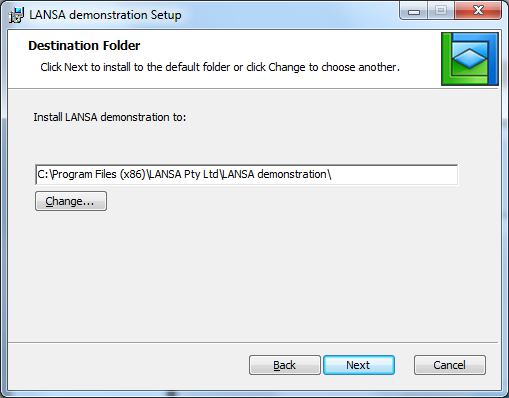
Destination Folder Dialog
The Destination Folder dialog uses the Application description and Company description to construct a default location where the application will be installed.
-
For an all user installation, Windows Installer will automatically pre-pend the defined Program Folder.
-
For a current user installation, Windows Installer will automatically pre-pend the current user's virtual store.
The derived Destination Folder can be modified by entering the preferred location or browsing for it. When the Application is installed:
-
Special Files will be installed in the User sub-folder and developer-defined shortcuts will use this location as their target.
-
X_Start files will be created in the Execute sub-folder using the Application code as an extension. These files will be associated with the Application and double clicking them in Explorer will start the application.
-
Any Network Client MSI file will be installed in the Execute sub-folder.
Enter the appropriate destination folder and press Next to proceed through the install wizard.