 Version 7.0
LIC008 - Processing via Email
In this step you will define details of the SMTP response email your processing sequence will send.
1. Navigate to Configurations / SMTP mail details and use the  button to define the SMTP Mail Details using the following settings:
|
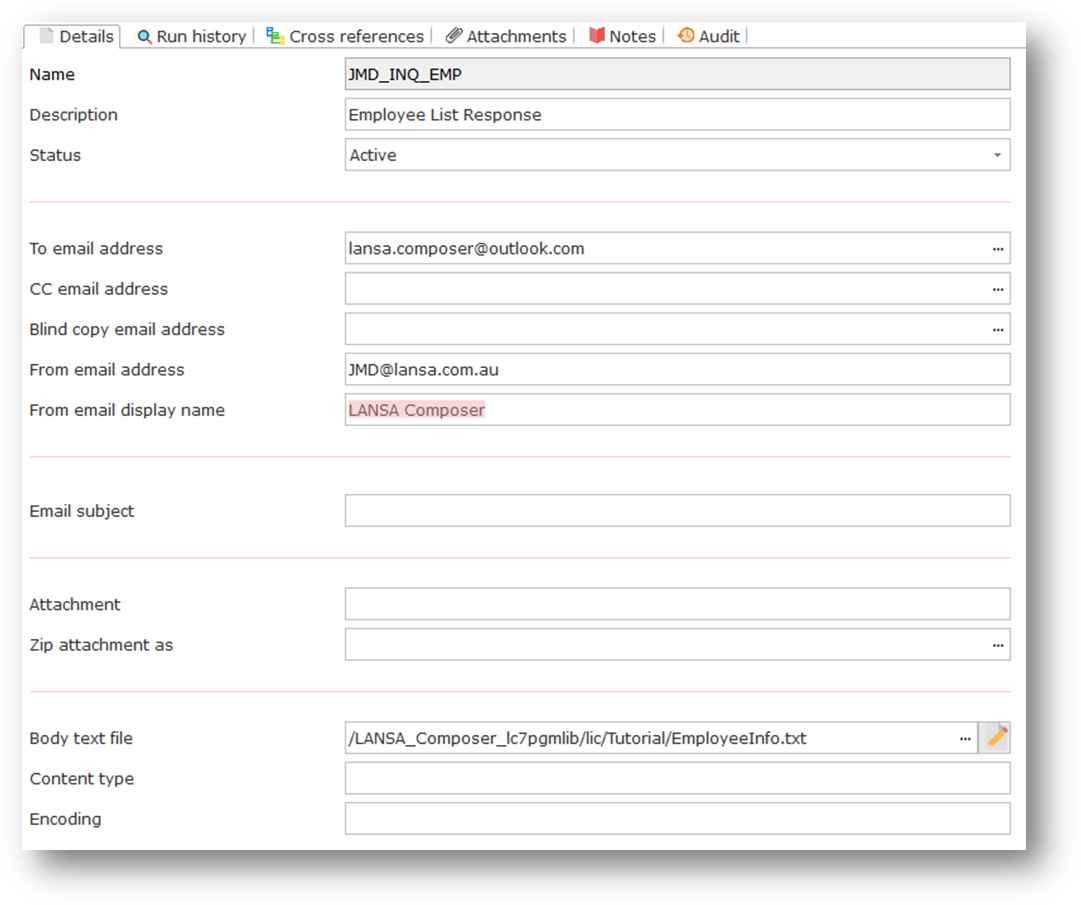
Note: Once you have created your text file, you may be able to use the  Edit icon against the Body text file parameter to open the file in Notepad, if the file already exists and if the file path specified is on the LANSA Composer "home" path.
2. Save your SMTP Email Details definition
 Version 7.0