Show Contents List - Composer Version 6.1
You can explicitly exclude specific items from the export. You can choose any number of items to exclude.
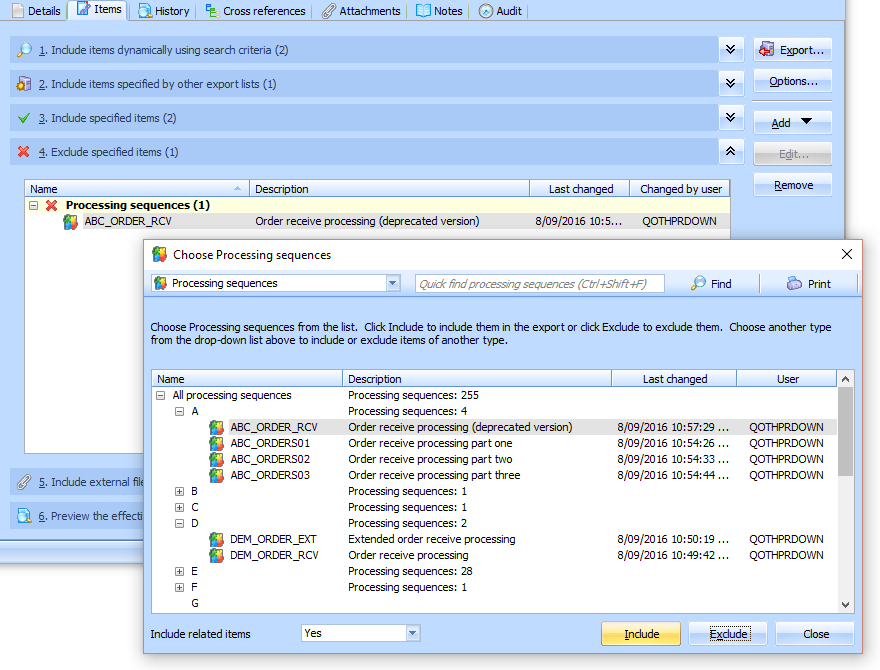
To exclude a specific item from your Export List, click the Add button and select the Add items to include or exclude command from the menu. Then locate and select the required item(s) in the Choose <items> window and click Exclude.
When the Choose <items> window opens initially, it shows available Processing Sequences, but you can change the type of items shown by selecting another type from the drop-down list at the top.
To remove an excluded item, select it and click Remove.
For further considerations, refer to Excluded Items Specifications in Included Export Lists.
Note: the Include related items option does not apply to excluded items.