Objective
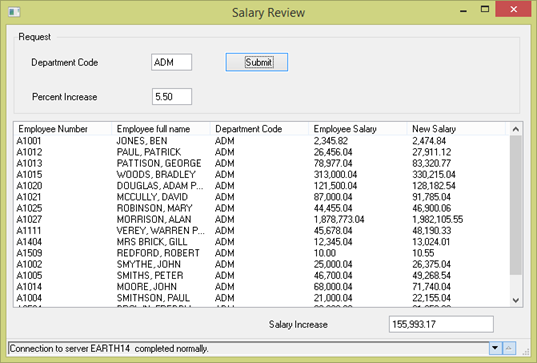
To do this, you will create a simple form, Salary Review, which calls a function that passes department code and a number that represents 'percentage salary increase'. The called function creates a list of employees for the requested department, containing both current and new salaries based on the percentage increase. This results list is returned to the calling form. The Salary Review form displays the result in a list view and calculates the total cost of the increase.
The called function will be compiled for Windows and will also be checked in and compiled on the IBM i server.
The "Salary Review" form will be tested in two different modes:
The form will use a system variable *SSERVER_CONNECTED (value Y or N) to determine whether to CALL the local function, or USE CALL_SERVER_FUNCTION to call the function running on the IBM i server.
In order to achieve these objectives you must complete the following:
Step 1. Create the Called Function
Step 2. Create Salary Review Form
Step 3. Test Salary Review Application
Before You Begin
Complete all earlier FRM exercises.
This exercise requires access to an IBM i server.